content/cars/*Every car you own
Kunos cars and mods. Slipstripe lists their skins and finds the paintable textures inside each car's 3D model, even when the skin folder is empty.
Free livery painter for Assetto Corsa
Slipstripe opens any car in your game, lets you paint it in layers with sponsors, stripes and numbers, and exports a finished skin straight into Content Manager. No Photoshop, no DDS plugins.
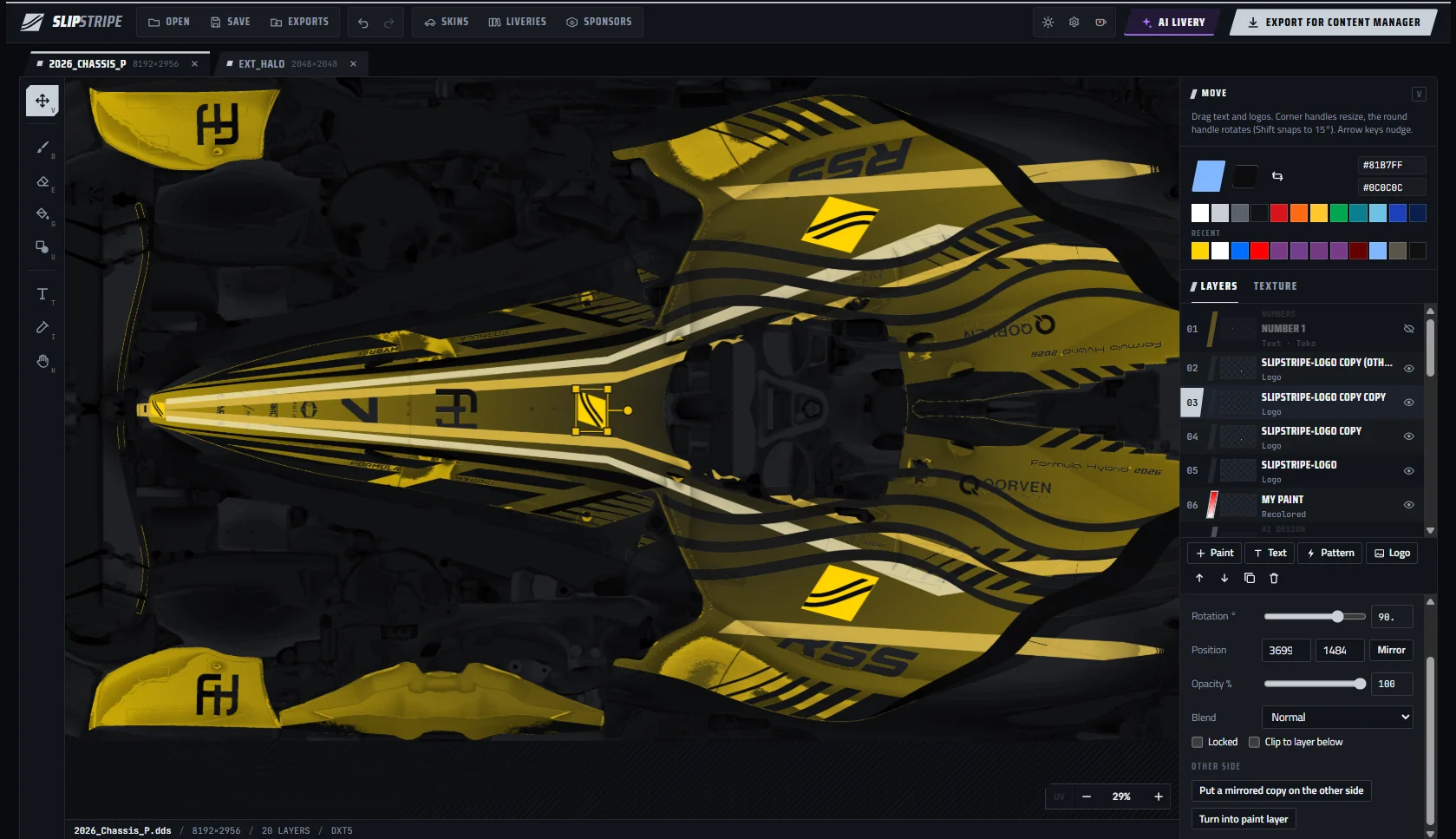
Built around how Assetto Corsa actually stores cars, so you paint the real textures and they land in the right folder.
content/cars/*Kunos cars and mods. Slipstripe lists their skins and finds the paintable textures inside each car's 3D model, even when the skin folder is empty.
.psd · .dds · .pngOpen template packs or plain skin textures. Each colour becomes its own layer you can recolour, with gradients that follow the shape of the car.
mirrored × 2Find a logo, drop its background, and it goes on the left and right of the car at once, mirrored and linked so they move together.
describe → paintDescribe a livery in your own words. A built-in designer works offline; plug in a free AI provider or your own key for full designs.
car A → car BLiked a design on one car? Slipstripe carries it to another through both cars' 3D shapes, so stripes land on the matching panels.
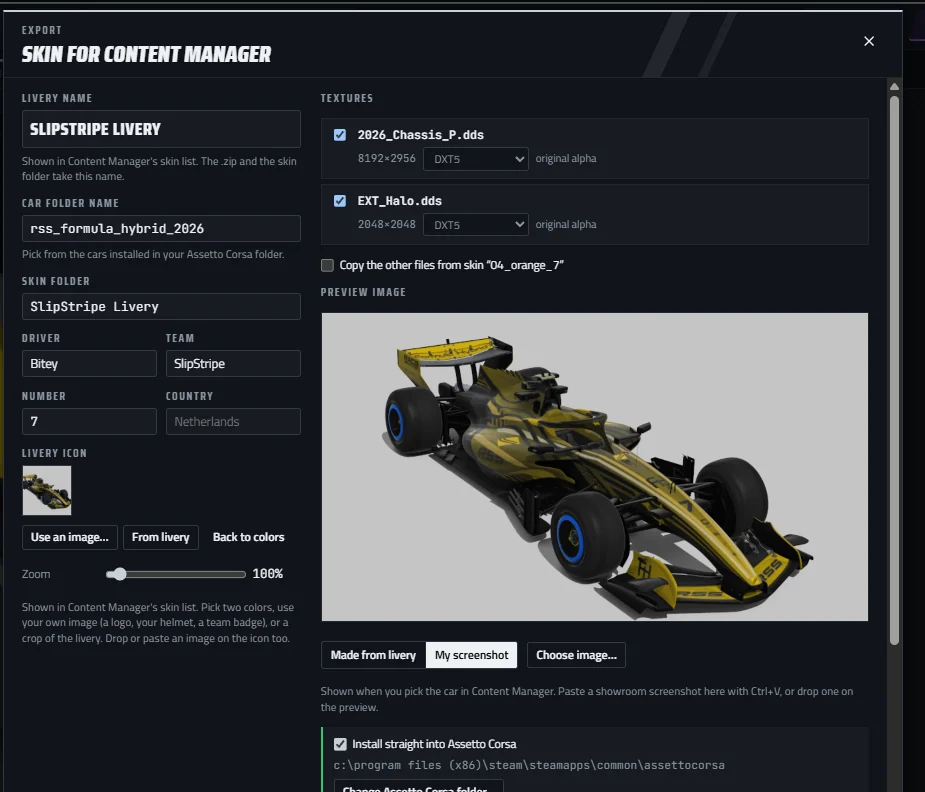
skins/your_skin/Writes the DDS, ui_skin.json, preview.jpg and livery.png, and installs it where Content Manager finds it.
Open the Skins window. Slipstripe reads your Assetto Corsa folder and shows every car and its skins.
assettocorsa\content\carsBrush, fill, stripes, text and numbers, sponsor logos, or let the AI start a design for you.
B brush · G fill · T text · U stripesName the skin and press Export. Start Content Manager and it is on the car.
skins\my_livery\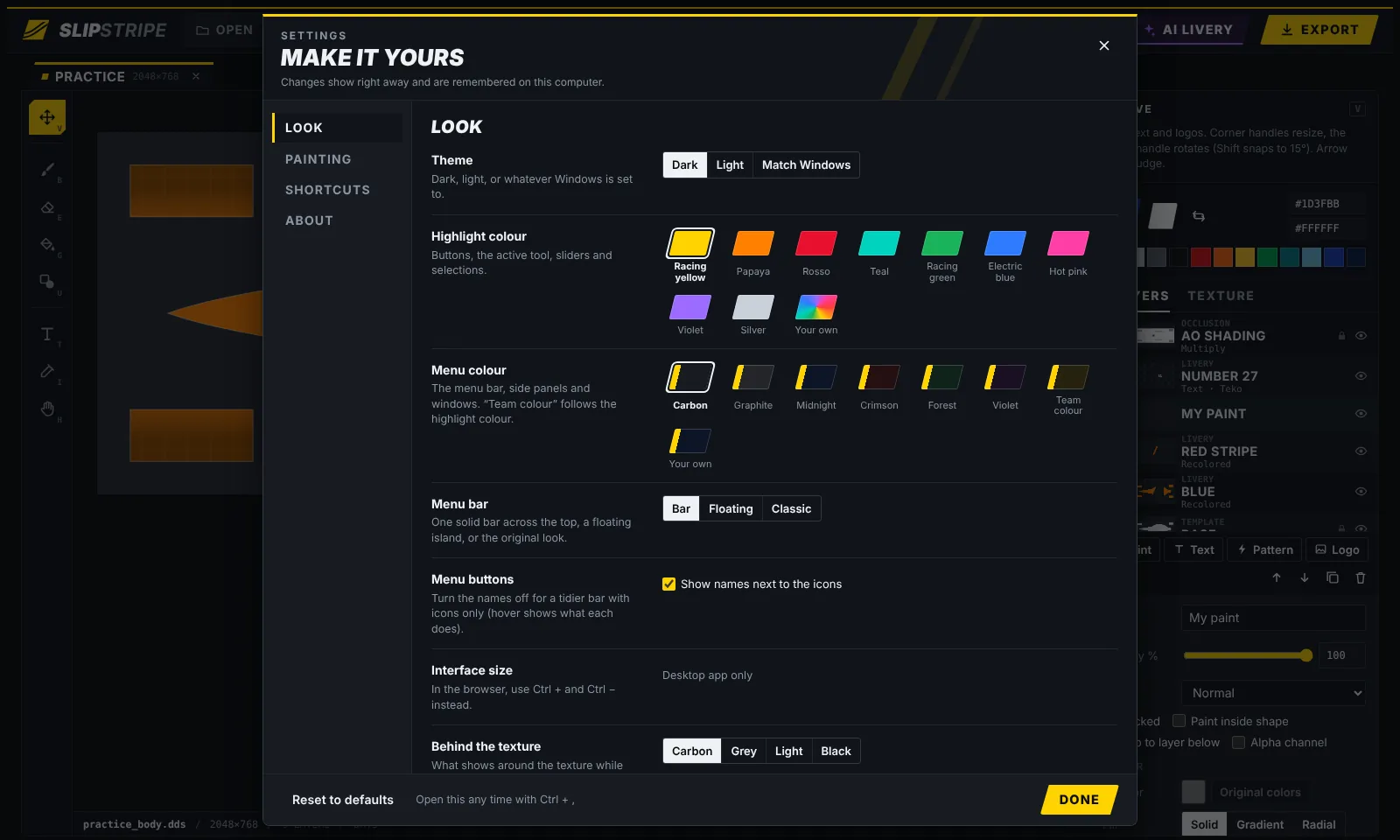
A painter you spend evenings in should look the way you like.
Yes. No account, no trial, no watermark. If it saves you time, you can support it on Ko-fi, but you never have to.
New apps from small makers aren't signed with a paid certificate, so SmartScreen warns about them. Click More info, then Run anyway. Slipstripe only reads your Assetto Corsa folder and writes the skins you export.
Kunos cars and most mods. Some paid mods protect their 3D models; you can still paint their textures, but moving a livery to or from those cars isn't possible.
No. Exports go into the car's skins folder, so the original launcher sees them too. Content Manager simply shows the preview picture nicely.
Only the skin folder you export to. Every export is also copied to Documents\Slipstripe\Exports so you always have a backup.
One file, about 8 MB. Run it and it opens. Running a newer version closes the old one for you.
Slipstripe is free. If you want to support me, buy me a coffee on Ko-fi.